
Välkommen till topprepskursen på Klättercentret Uppsala!
Scroll for english
Vad kul att du vill ta grönt kort! Den här sidan är för dig som har bokat topprepskursen på Klättercentret Uppsala. Om du inte än bokat hittar du all info du behöver genom att klicka här.
Topprepskursen består både av tillfällen på plats på i vår klätterhall och ett digitalt material. Du kan påbörja den digitala kursen direkt och återvända till den när det passar dig. Dina framsteg sparas automatiskt. Klicka på länken nedan för att börja den digitala delen av kursen!
Du behöver först skapa ett nytt konto på den digitala plattformen. Behöver du hjälp att skapa ett konto? Scrolla ned för instruktioner.

Tidsplan för det digitala materialet
Den digitala delen av kursen består av flera avsnitt. Vi rekommenderar följande tidsplan inför tillfällena på plats:
- Inför tillfälle 1: Gå gärna igenom avsnitten Topprepsklättring och Klättra med Autobelay. Det är inget krav, men det gör det lättare att hänga med.
- Inför tillfälle 2: Försök att ha gått igenom samtliga moment i den digitala kursen, utom det avslutande teoriprovet.
- Inför tillfälle 3 (uppklättringen): Hela den digitala kursen ska vara genomförd och godkänd, inklusive teoriprovet.
Inför tillfälle 3, uppklättringen.
För att vi ska kunna se dina framsteg behöver du på tillfälle 3 uppge samma mejladress som du använde när du skapade ditt kurskonto.
Vi rekommenderar starkt att du har ett godkänt digitalt teoriprov när du kommer till detta tillfälle. Du behöver kunna ange den epostadress du använt för att göra provet för att vi ska kunna kontrollera ditt resultat. Om det digitala teoriprovet inte är godkänt vid detta tillfälle kommer du att behöva göra ett teoriprov på plats. Det finns då en risk att det blir stressigt och att tiden inte räcker till.
Behöver du hjälp att skapa konto?
När du öppnar länken till det digitala materialet kommer du till någon av dessa sidor beroende på om du använder dator, telefon eller surfplatta.
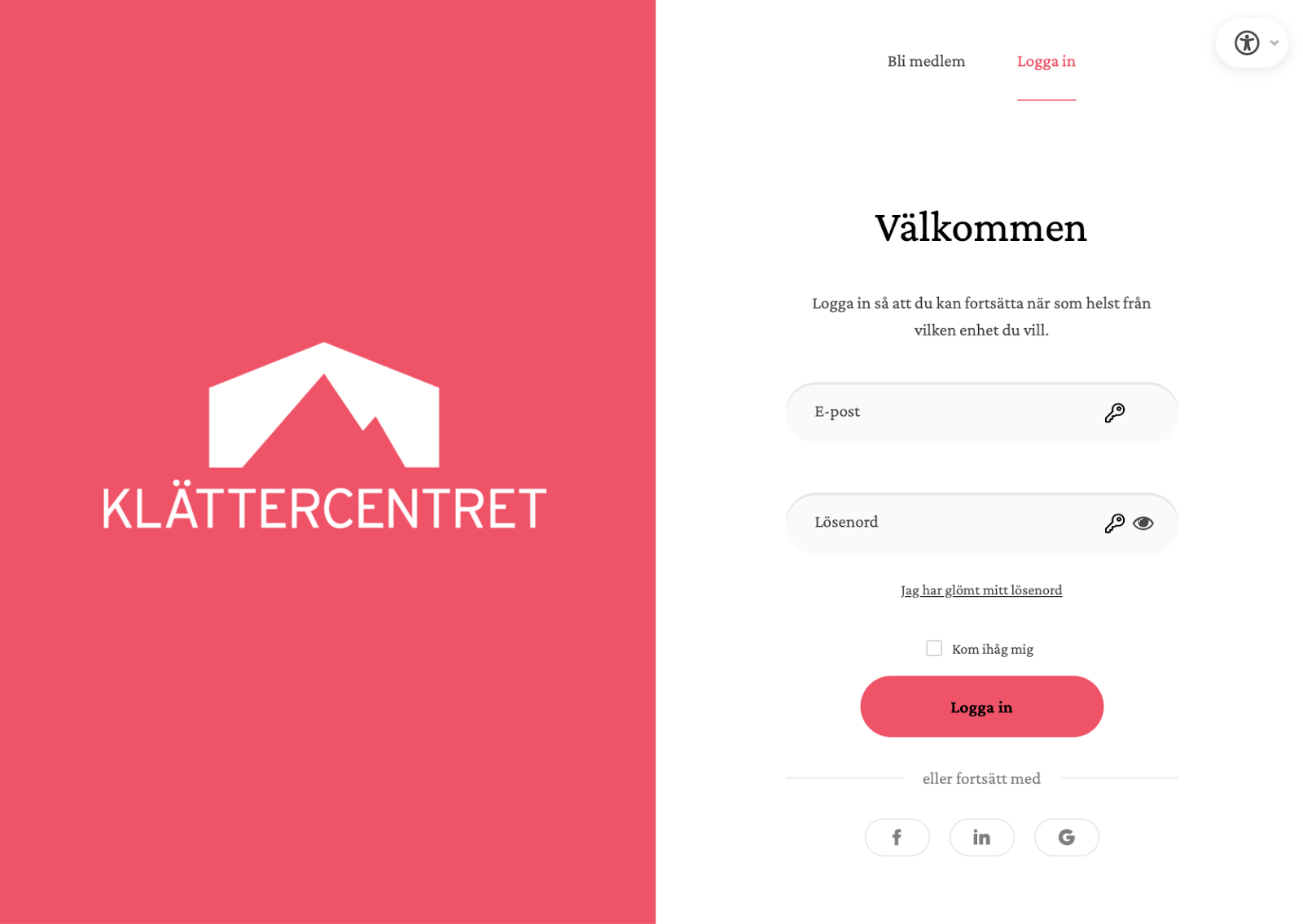
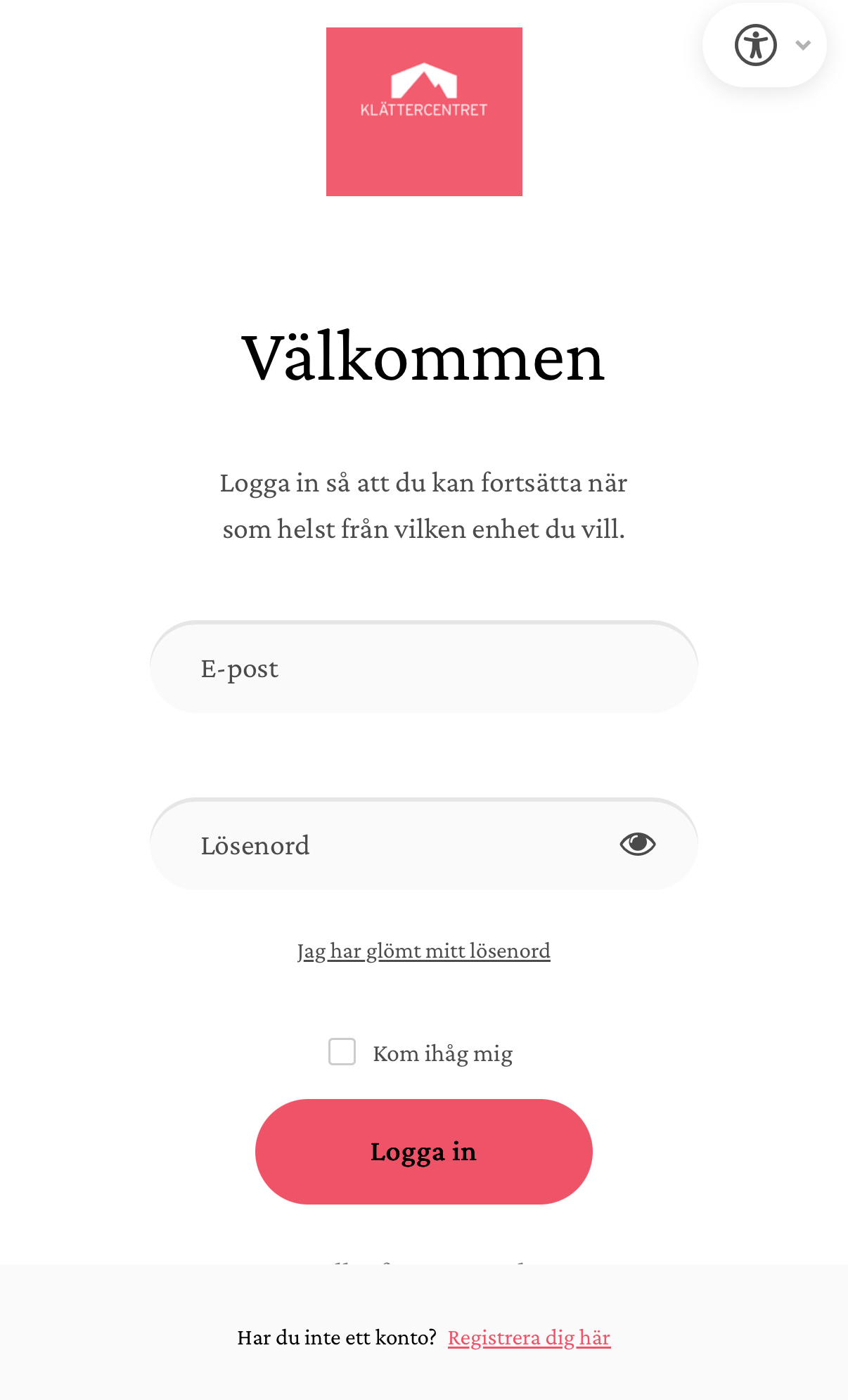
Om det är första gången väljer du “Bli medlem” längst upp (desktop) eller “Registrera dig här” längst ner (telefon, surfplatta).
När du klickar på “Bli medlem” alt “Registrera dig här” kommer du till skapa konto-sidan.
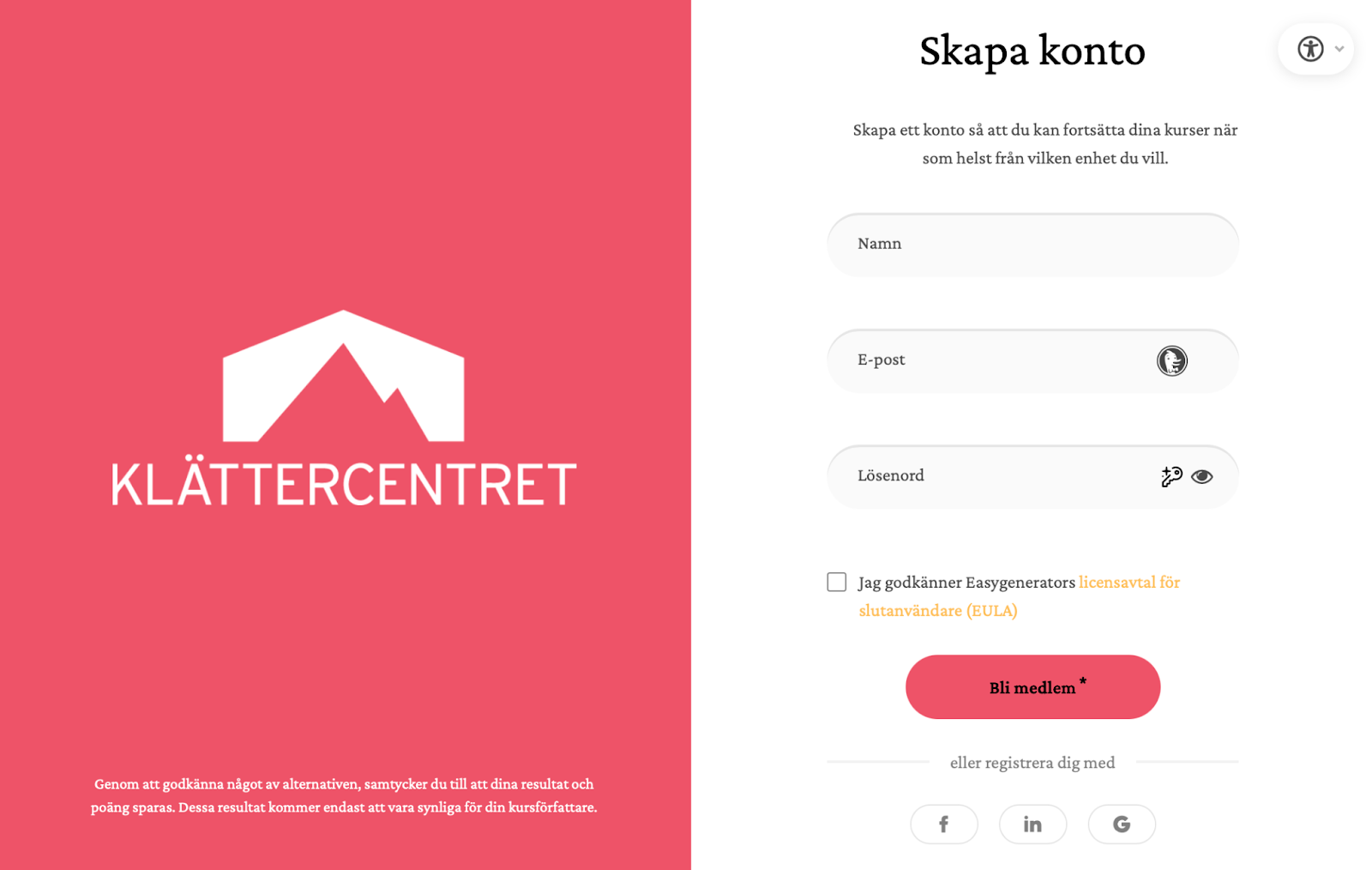
Registrera dig med namn, e-post och skapa ditt lösenord. Kom ihåg vilken e-post och lösen du använder så att du kan komma tillbaka och repetera materialet. Det är också viktigt att du kommer ihåg vilken e-post du använder för att ditt resultat på teoriprovet ska kunna kontrolleras.
Alternativt kan du använda LinkedIn, Facebook eller Google för att registrera ditt konto. Det är då viktigt att du går in på din användare på plattformen du valde och kontrollerar vilken mailadress som blev registrerad.
Welcome to the tope rope course at Klättercentret Uppsala!
Welcome to the top rope course at Klättercentret Uppsala, we’re so glad you’ve decided to take a course at our gym! If you haven’t booked the course yet, please click this link to get all the necessary information.
Your top rope course consists of both on-site sessions in the climbing gym and digital material. You can start the digital course immediately and return to it whenever it suits you. Your progress is saved automatically.
Please note that the login/create an account page unfortunately is in Swedish. If you need help creating an account, see the guide below or ask the gym staff.

Time table for the digital material
The digital part of the course consists of several sections. We recommend the following schedule for the on-site sessions:
- Before session 1: Feel free to go through the Top Rope Climbing and Climbing with Auto-belay sections. It’s not a requirement, but it makes it easier to keep up.
- Before session 2: Try to have gone through all the parts of the digital course, except for the final theory test.
- Before session 3 (the exam): The entire digital course must be completed and passed, including the theory test.
Before session 3, the exam:
For us to be able to see your progress, you need to be able to provide the same email address that you used when creating your course account.
We strongly recommend you complete the digital theory test before this session. Please note which email you used when starting the theory test, we need it to be able to check your result. If you do not complete or pass the digital theory test prior to this third session, you will need to do the test on site. This, however, means that you will have less (or no) time for the practical part of the test.
Do you need help creating an account?
When you open the link to the digital material you’ll see one of these login pages depending on if you use a computer, phone or tablet.
If this is your first time, select “Bli medlem” (desktop) at the top or “Registrera dig här” at the bottom (for phone or tablet).
When you click “Bli medlem” you will be taken to a create account page.
Register your name, email address and create a password. Click the red “Bli medlem” button to complete the registration.
Alternatively, you can use LinkedIn, Facebook or Google to register your account. If you do the latter it’s then important that you check which email address was registered on the platform you used. It’s important to remember that email address so that you can log in to complete the theory test, and for us to be able to check your results.